How to Streamline Etsy Fulfillment and Scale
Learn how to streamline Etsy fulfillment with practical workflows for inventory, picking, shipping, and customer updates as your shop grows every week.

A shop can handle five orders with memory, sticky notes, and a trip to the post office whenever there is time. At 25 orders a week, that same approach creates missed personalization details, late dispatches, and inventory surprises. Learning how to streamline Etsy fulfillment is about replacing reactive work with a repeatable system that keeps orders moving without making your business harder to run.
The goal is not to make every order feel automated. Etsy buyers still expect care, especially when they purchase handmade or personalized products. The goal is to build a consistent operating process around the work that does not need a fresh decision every time.
Start With Your Actual Fulfillment Flow
Before adding software, supplies, or new shipping methods, map what happens from the moment an Etsy order arrives to the moment the buyer receives it. Most sellers know the broad steps, but the delays live in the details: checking personalization notes, finding blank inventory, printing a label, waiting for a product to cure, or answering a shipping question.
Write down your current sequence and note who owns each step. For a solo seller, that person may be you at different times of day. For a growing team, unclear ownership is often the reason orders sit unfinished. A basic workflow might move from order review to production, quality check, packing, label creation, dispatch, and customer follow-up.
Then identify the steps that repeatedly create friction. If you open each order individually to copy customization details into a notebook, that is a process problem. If you pack one order at a time and walk back to the supply shelf after every package, that is a layout and batching problem. Solve the specific bottleneck instead of trying to overhaul everything at once.
Centralize Order Details Before You Start Work
Fulfillment breaks down when order information is spread across Etsy, messages, design files, supplier emails, and paper notes. Your production process should begin from one reliable view of what needs to be made, packed, and shipped.
Create a daily order review routine. Check new orders, flag personalization requirements, verify delivery dates, and separate orders by fulfillment type. A digital download does not belong in the same queue as a made-to-order engraved tumbler, and a print-on-demand item should be tracked differently from an item you ship from your own workspace.
Use clear internal statuses that reflect real work, not vague labels. For example, orders can be marked as awaiting clarification, ready to make, in production, ready to pack, or shipped. The right labels make it easy to see what requires attention without reopening every order.
An Etsy-focused store manager such as Gainsy can help centralize daily order operations so sellers spend less time switching between tabs and more time moving orders forward. The value is not another dashboard for its own sake. It is having a clearer command center when volume starts to rise.
Treat Personalization as Production Data
For customized orders, buyer notes are part of the production file. Standardize how you capture names, dates, colors, fonts, and special instructions. If an order is missing essential information, stop it before production begins and send a saved message requesting clarification.
Do not rely on memory for exceptions. Mark them clearly in your order workflow. A visible exception process prevents a single incomplete personalization request from getting mixed into a batch that is otherwise ready to produce.
Batch Work Without Sacrificing Accuracy
Batching is one of the fastest ways to improve fulfillment speed because it reduces context switching. Instead of printing one label, finding one item, packing one box, and repeating, group similar tasks into focused blocks.
A handmade seller might review and print all new order details in the morning, produce similar products together in the afternoon, then pack completed orders during a fixed shipping window. A sticker shop may print all designs first, cut them in one production run, and package them by shipping class. A print-on-demand seller may batch mockup approvals and supplier checks rather than monitoring each order individually.
The trade-off is that large batches can hide mistakes until later. Keep batch sizes manageable, especially for personalized products. It is usually better to run two controlled batches of 15 than one rushed batch of 30 where an incorrect name or color choice reaches multiple packages.
Use a simple check at the end of each batch: compare the physical item to the order details, confirm quantity, and mark the order ready for packing. That small pause protects your seller rating and costs far less than remaking and reshipping an order.
Set Up a Packing Station That Supports Volume
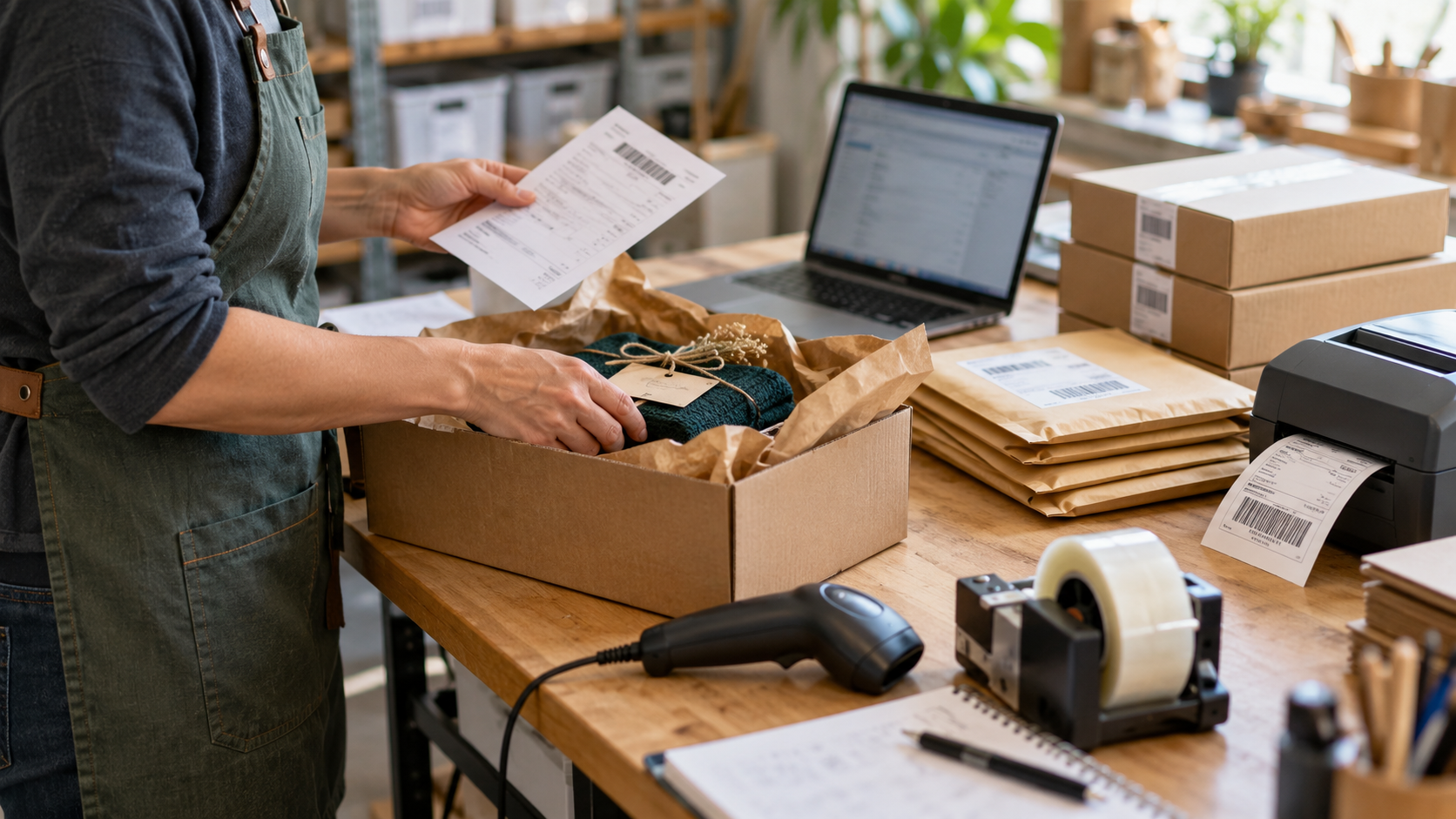
A packing station should reduce movement and decisions. Keep your most-used mailers, boxes, tape, labels, inserts, and scale within reach. Less frequently used packaging can sit nearby, but the supplies you touch for most orders should not require a search.
Standardize packaging where possible. If three box sizes cover 80 percent of your products, use those three consistently instead of buying a different box for every item. Consistency makes purchasing easier, speeds packing, and helps you predict shipping costs. It can also give buyers a more polished unboxing experience.
Create a packing checklist for products that have multiple components. This is especially useful for gift sets, craft kits, and bundled items. The checklist can be short, but it should confirm the product, add-ons, care card, and shipping label before the package is sealed.
If your products are fragile, test your packaging with real handling conditions. The cheapest mailer is not a savings if breakage creates refunds, replacement labor, and unhappy reviews. On the other hand, overpacking low-risk items can push postage costs higher than necessary. Match the package to the product and its travel risk.
Make Shipping a Scheduled Operation
Shipping should happen at a defined time, not only when you remember. Set cutoffs for same-day or next-day dispatch based on what you can reliably produce. Buyers respond well to accurate expectations. They do not benefit from an ambitious processing promise that your workflow cannot consistently meet.
Group shipments by carrier, service level, and destination when that makes label creation easier. Confirm package weight and dimensions before purchasing labels, particularly if you sell products with variable materials or packaging. Small measurement errors can become expensive as order volume grows.
Build buffer time into your processing schedule for weekends, supply delays, and seasonal spikes. If your usual production time is two business days, promising one day may win a few clicks but can create constant pressure and late-order risk. Reliable dispatch is a better growth strategy than chasing the fastest possible stated turnaround.
Reduce Customer Questions Before They Arrive
Many fulfillment messages are preventable. Buyers ask where an order is, whether a customization was received, or when a package will ship because they do not have a clear update at the moment they need one.
Set up consistent communication at key points: when an order needs clarification, when a proof requires approval, when an item ships, and when an unexpected delay affects the original timeline. Keep messages direct and specific. Include the action needed from the buyer or the updated expected date instead of sending a generic apology.
Your listing details matter here, too. Processing times, customization instructions, shipping expectations, and proof policies should be easy to understand before purchase. Clear listings reduce the number of orders that enter fulfillment with missing information.
Track the Numbers That Expose Friction
You do not need a complicated operations report. Review a few metrics weekly: average time from order to dispatch, number of late shipments, remake or replacement rate, cancellation rate, and the most common reason customers contact you after purchase.
These numbers show whether a change actually improved your workflow. For example, a new packing method may feel faster but increase errors. A shorter processing time may increase conversion while also raising late dispatches. The right decision depends on the result across the full operation, not one number alone.
When a metric worsens, look for the step behind it. Late shipments might come from production capacity, unclear personalization requests, supply shortages, or label printing delays. Fixing the real cause is how fulfillment becomes easier to manage month after month.
Build for the Next Order Volume, Not the Last One
The best time to document a process is before you urgently need help. Write down how orders are reviewed, where materials are stored, how quality checks happen, and what to do when a buyer requests a change. This makes it easier to delegate, bring on temporary help during busy periods, or simply take a day off without losing control of the shop.
A strong fulfillment process gives you room to grow while protecting the experience that made buyers choose your Etsy shop in the first place. Start with the task that creates the most daily drag, make it repeatable, and let that saved time become capacity for the next stage of your business.