How to Batch Etsy Orders Without Missing Details
Learn how to batch Etsy orders with a practical workflow for grouping, producing, packing, and shipping more orders with less daily admin work each week.

A busy Etsy shop rarely breaks because of one big problem. It breaks in small, repetitive moments: printing one label at a time, switching between listings to check personalization, hunting for packaging, and answering production questions from memory. Learning how to batch Etsy orders turns those scattered tasks into a repeatable operating system.
Batching means processing similar work together during planned blocks of time. Instead of fulfilling every order from start to finish as it arrives, you group orders by production step, ship-by date, product type, or material needed. The result is less context switching, fewer missed details, and more control over your fulfillment capacity.
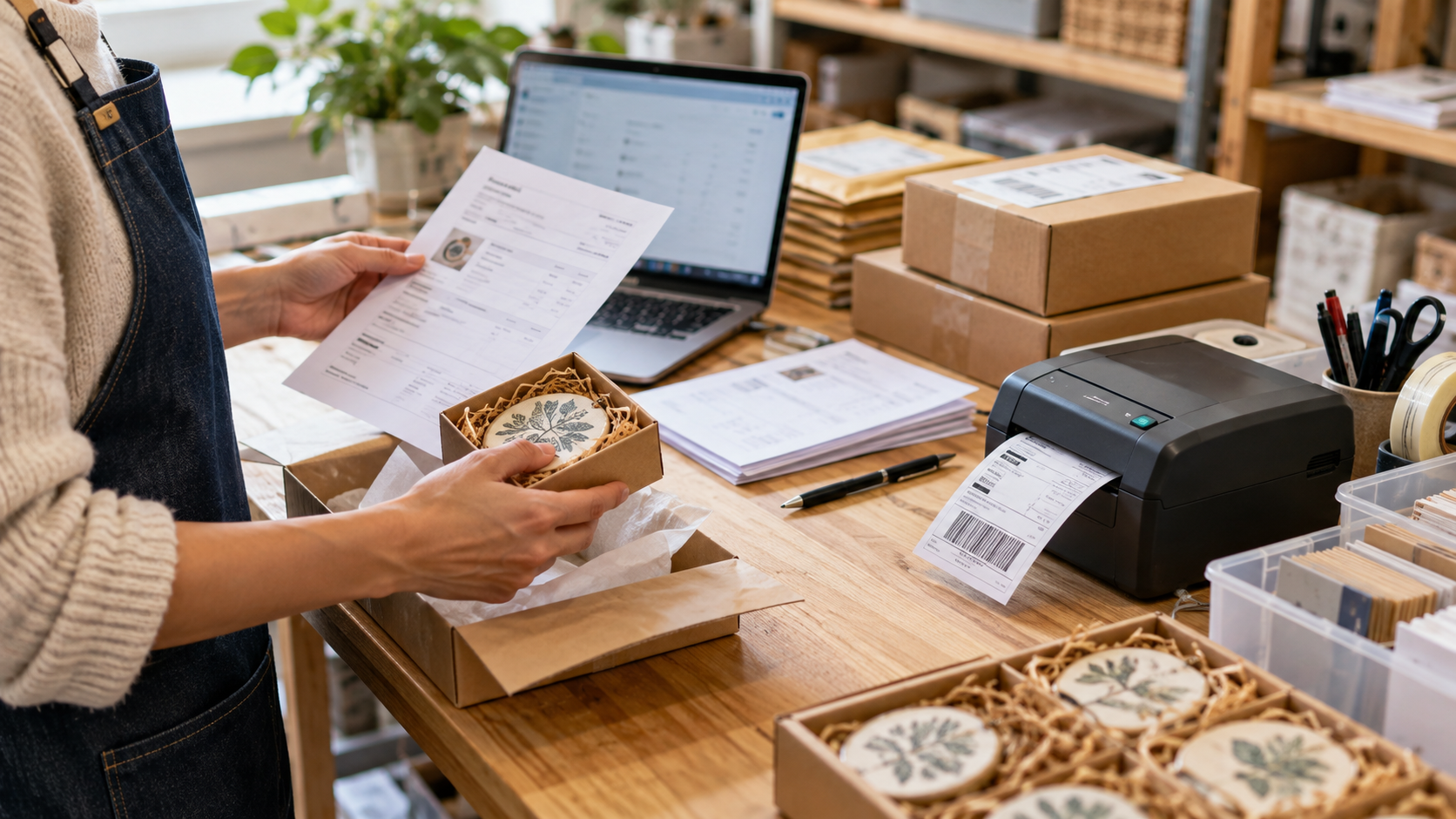
What batching Etsy orders actually looks like
The right batching workflow depends on what you sell. A digital seller may batch personalization reviews and file delivery. A sticker shop may batch printing, cutting, packing, and shipping. A custom woodworker may batch design approvals, engraving, finishing, and dispatch.
The principle stays the same: complete one type of task for a set of orders before moving to the next task. That reduces setup time. If you need to load a particular vinyl color, configure a printer, clean a workspace, or pull a certain packaging size, doing it once for 20 compatible orders is more efficient than doing it 20 separate times.
Batching is not a reason to ignore due dates or make buyers wait longer. It is a way to organize the work behind those dates. Your customer should still receive a clear processing time and an order delivered when promised.
Start with a clear order queue
Before you can batch effectively, you need one reliable view of what needs attention. Pull new orders into a working queue at a consistent time each day, or twice a day during high-volume periods. Include the order number, item, quantity, variation, personalization details, ship-by date, shipping method, and current production stage.
Etsy’s order view can work when volume is low, but it becomes harder to manage when orders have multiple variations, custom notes, or different production paths. The goal is to avoid opening every order repeatedly just to answer basic questions.
Assign every order a simple status, such as New, Needs Proof, Ready to Produce, In Production, Ready to Pack, or Shipped. The labels matter less than the discipline. When each order has a visible stage, you can see the next bottleneck before it becomes a late shipment.
For shops with growing volume, a centralized Etsy-specific store manager such as Gainsy can make that operational view easier to maintain without building a patchwork of spreadsheets and browser tabs.
Check personalization before production begins
Personalized orders deserve their own early checkpoint. Before printing, engraving, or creating anything, verify names, dates, capitalization, color selections, and buyer notes. Flag unclear requests immediately rather than discovering them halfway through a production batch.
This is one area where speed should not override accuracy. A five-minute review step can prevent a remake, a refund, and an unhappy customer. If your products require customer approval, separate those orders from production-ready orders so they do not hold up work that can move forward.
How to batch Etsy orders by the right variable
There is no single best way to group Etsy orders. The smartest method is the one that removes the most friction from your specific process. Most sellers use a combination of these approaches.
Batch by product family when similar items use the same equipment, template, material, or workspace. For example, process all vinyl decals together, then move to apparel transfers, then assemble gift boxes. This reduces material changes and setup time.
Batch by production stage when products vary but the work is similar. You might spend the morning reviewing personalization across all orders, the afternoon printing all approved files, and the final hour packing completed items. This approach works especially well for print-on-demand, stationery, and custom design shops.
Batch by ship-by date when deadlines are your main concern. Start with orders due first, then group the remaining work around them. This is essential during holidays, sales events, or any week when your order volume exceeds your normal pace.
Batch by shipping method when packing requirements differ. USPS Ground Advantage orders may need one packing workflow, while Priority Mail orders need another. International shipments may require extra review. Grouping them reduces label errors and helps you keep packaging supplies organized.
The trade-off is that too much batching can create delays. Do not wait until Friday to produce an order that must ship Tuesday just because you only make that item on Fridays. Set batch rules around your promised processing times, not around what feels most convenient internally.
Build a daily fulfillment rhythm
A consistent cadence makes batching easier to sustain. For many small Etsy businesses, one production batch per day is enough. Sellers with steady volume may need a morning intake batch and an afternoon fulfillment batch.
A practical rhythm might look like this: review and sort new orders first, handle buyer questions or missing details next, produce the orders due soonest, pack completed items, then purchase labels and close the day by checking what remains. The sequence prevents an inbox full of new orders from constantly interrupting orders already in progress.
Give each block a realistic time limit. If you have two hours for production, do not fill that block with five hours of work. A queue that is always overloaded makes batching feel like failure. Use your recent production data to estimate how many units you can complete in a normal session, then leave room for reprints, supply issues, and customer messages.
Set cutoffs for incoming orders
Without a cutoff, every new order feels urgent. Create an internal rule such as: orders received before 10 a.m. enter today’s review batch; orders received after that time enter the next business day’s batch. You do not need to advertise this rule to buyers, but your team needs to follow it.
Cutoffs protect focus. They let you finish a production run without checking for new sales every 15 minutes. If you offer rush processing, keep those orders visibly separate and charge enough to cover the disruption they create.
Create batch sheets that prevent mistakes
A batch sheet is a production checklist for a group of orders. It can be printed, digital, or managed within your store operations system. Its job is to make sure the right item reaches the right buyer with the right details.
For each batch, include the order number, product SKU or title, quantity, required variations, personalization text, production notes, ship-by date, and packaging instructions. If an order has multiple line items, make that obvious. Multi-item orders are a common source of partial shipments and incorrect packing.
Use clear exception markers. A gift note, upgraded shipping, proof approval, fragile item, or special packaging request should stand out immediately. Do not rely on remembering it while packing 30 orders.
If you work with helpers, standardize the sheet and the workflow. One person should not use handwritten notes while another relies on screenshots. Consistency is what makes it possible to delegate without losing quality control.
Batch packing and shipping separately from production
Production and shipping use different mental modes. Production requires attention to creative or technical detail. Shipping requires accuracy, speed, and final verification. Combining both steps for every individual order can drain time and increase mistakes.
Set up a dedicated packing station with the supplies you use most: mailers, boxes, tape, tissue, inserts, labels, scales, and any product-specific protective materials. Keep frequently used sizes within reach. If you have to walk across the room for every mailer, your packing process is not actually batched.
When packing, work from your completed-order pile or status view only. Verify the order number, item count, variations, and shipping method before sealing the package. Then purchase labels in a focused block and move shipped orders out of the active queue immediately.
Avoid pre-printing labels for orders that are not packed and verified. It may feel faster, but it creates a mismatch risk when piles shift or an item needs to be remade.
Measure the bottleneck, not just the number of orders
A better batch workflow should create measurable improvement. Track how long it takes to review an order, produce a unit, pack a shipment, and resolve exceptions. You do not need complex reporting at first. A simple weekly review can show where your time is going.
If packing takes too long, improve your station layout or standardize package sizes. If production is slow, look for repeated setup work that can be grouped. If buyer messages are consuming the day, improve listing instructions, personalization fields, and saved responses.
Also watch your late-shipment rate, remake rate, and order error rate. Moving faster is not a win if it creates more replacements or negative reviews. The strongest workflow protects both margin and customer experience.
Batching works best when it becomes ordinary. Give each order a clear path, group the work that belongs together, and review the process whenever volume changes. That is how an Etsy shop gains capacity without turning every busy week into a scramble.